Everything a lesson needs,
on one board.
Halgo is tutor management software that also builds each student’s homework from your own textbooks. It holds your schedule, your students, your books and the homework built out of them — one workspace instead of five tabs and a spreadsheet. Closed beta, open to the first tutors.
Invite only while we work with the first tutors. Your answer lands in one inbox, ours, and nowhere else.
the board
Move something. This is the real canvas.
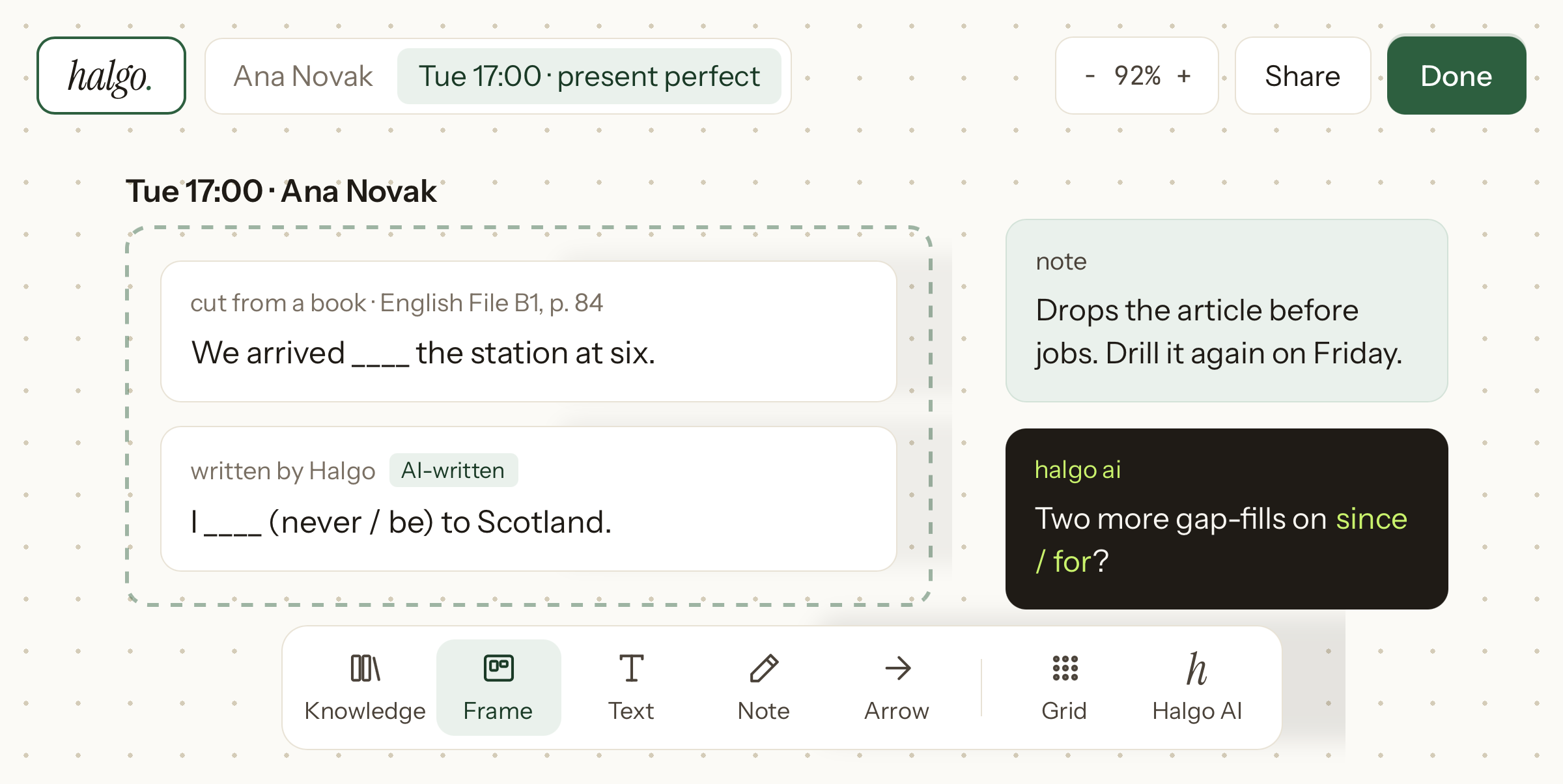
Exercises, notes and lesson frames sit on an infinite sheet, one per student. Drag them where the lesson makes sense. Nothing here is saved: reload the page and this starting board returns.
drag a card, or its handles, to change it
drag empty space to pan
alt+t text · alt+n note · alt+f frame · alt+s shape · alt+a arrow
Tab to a board item and use Enter to select it. Arrow keys move a selected item. Focus the board and press Enter to place the chosen tool; arrow keys pan. Hold Alt with T, N, F, S, or A to choose a tool.
Six surfaces. One workspace.
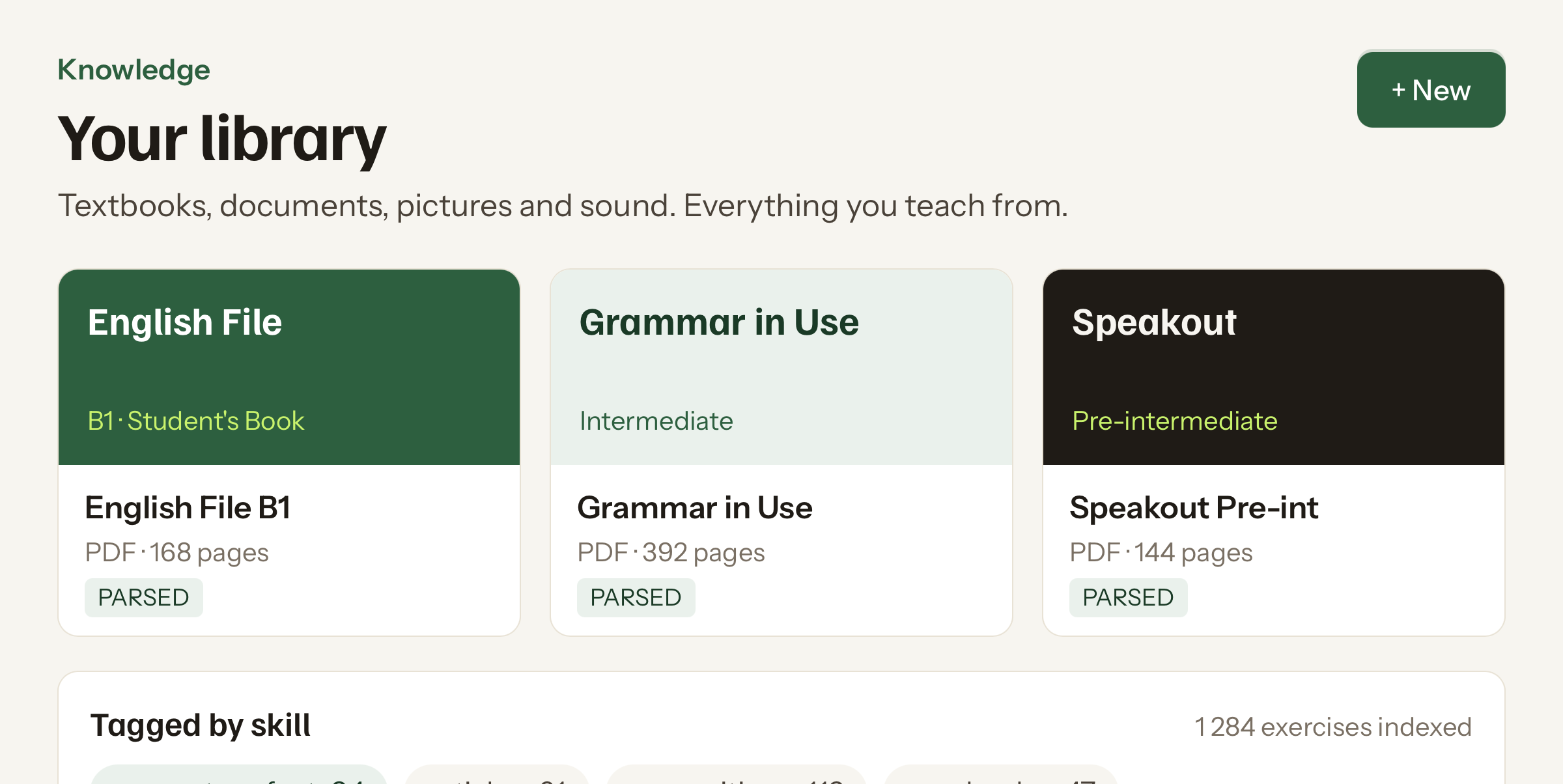
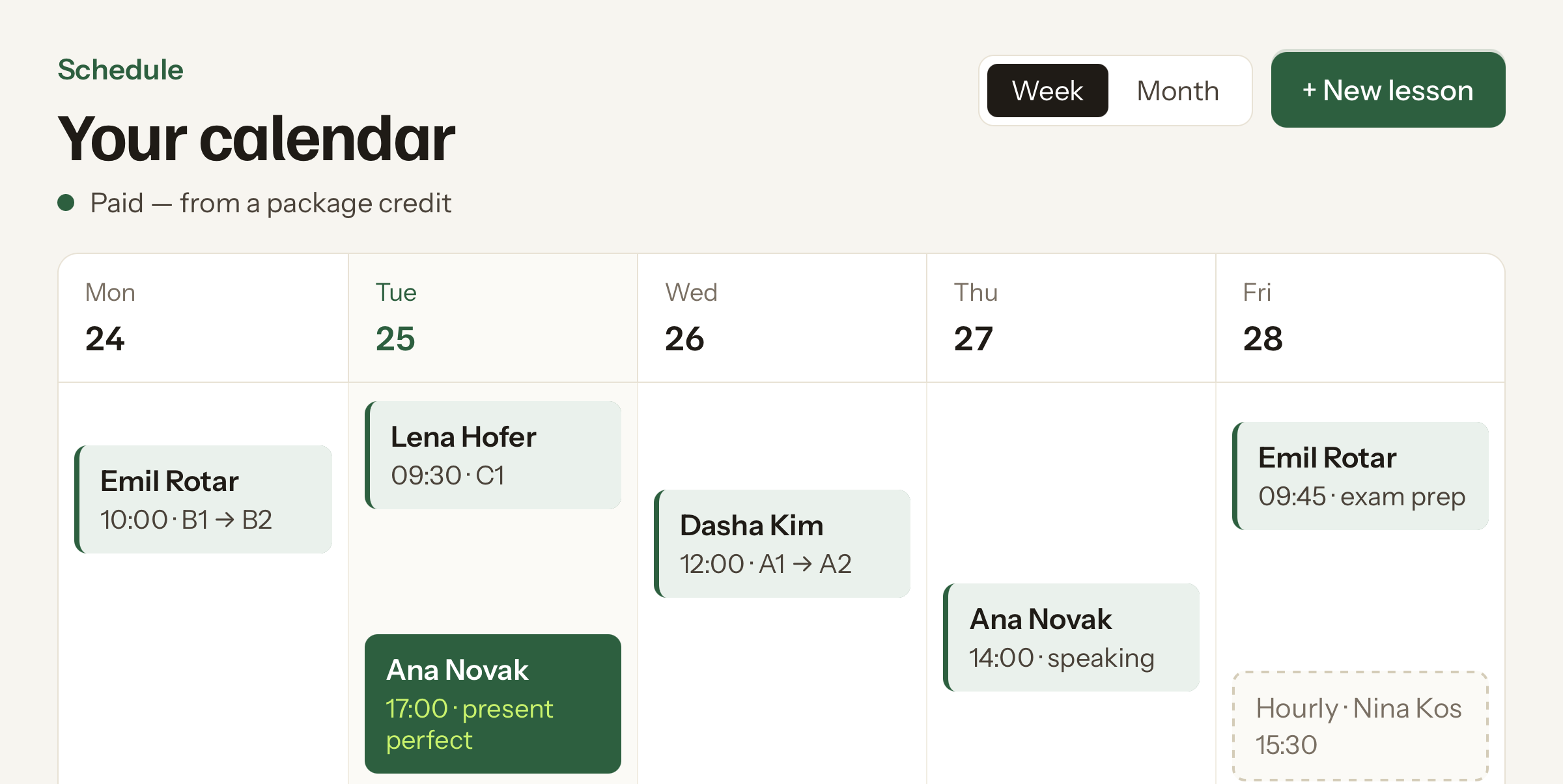
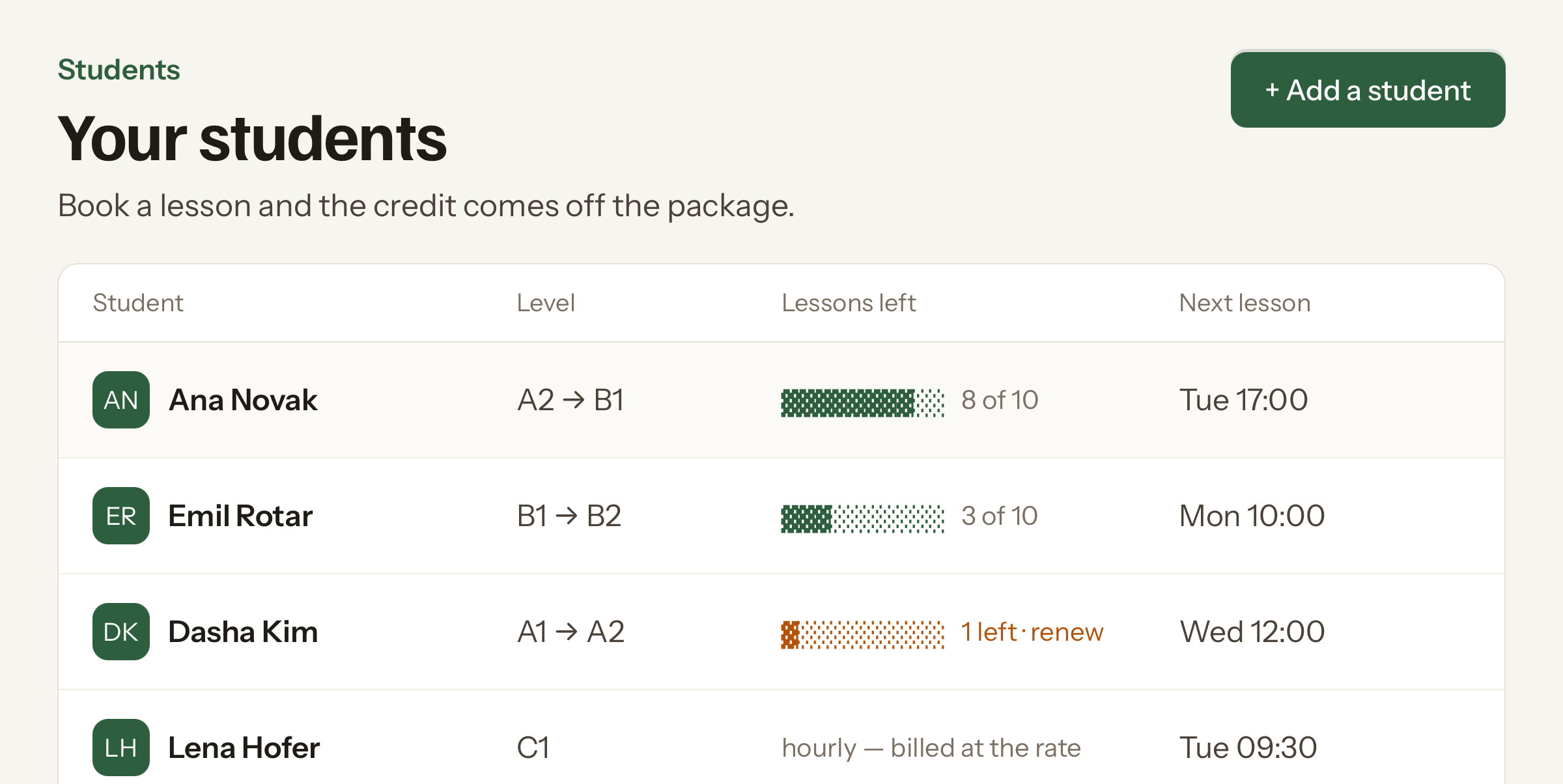
A canvas per student. Frames hold a lesson, notes hold everything you would otherwise forget.
boards · one canvas per student
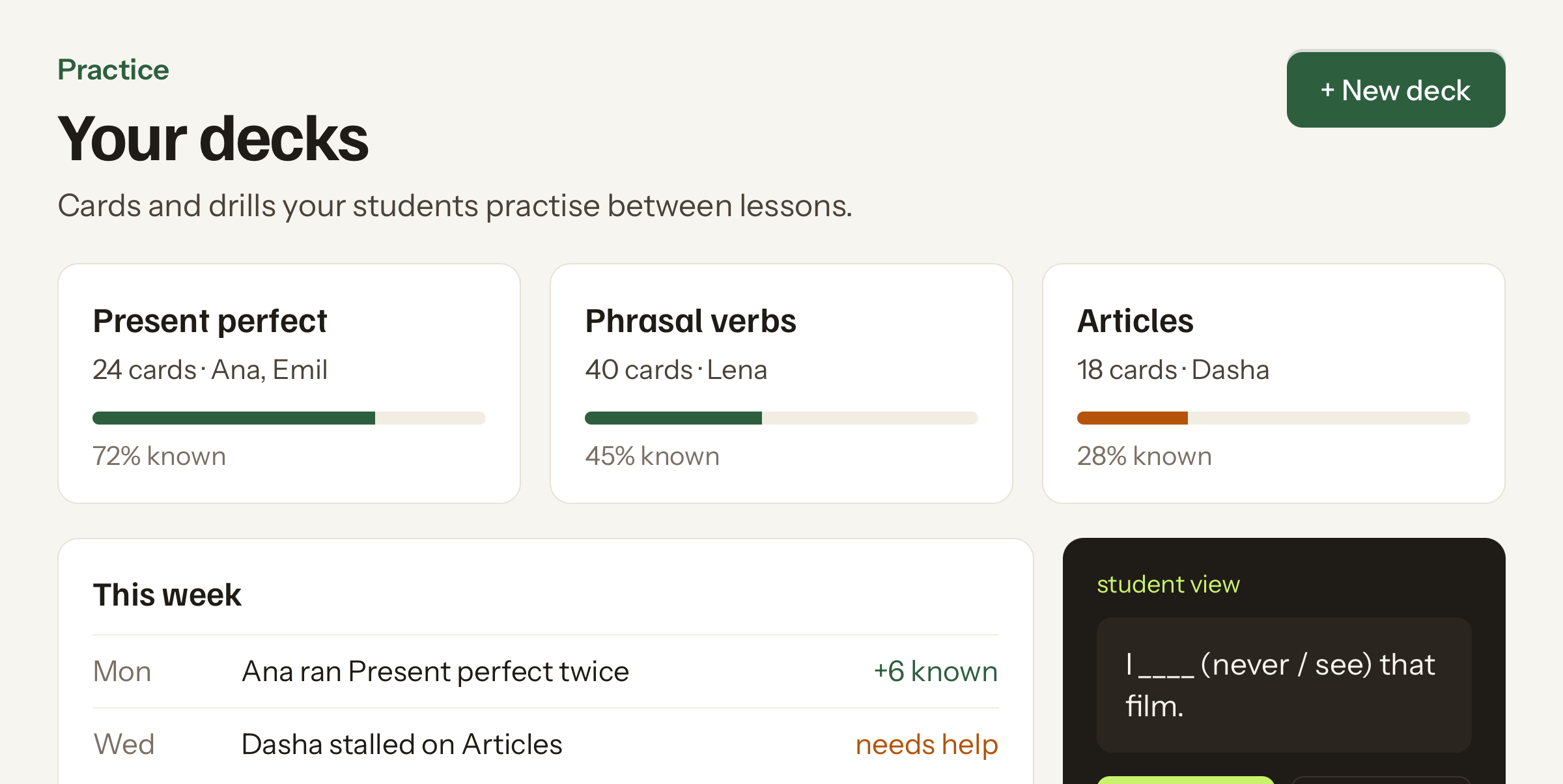
homework
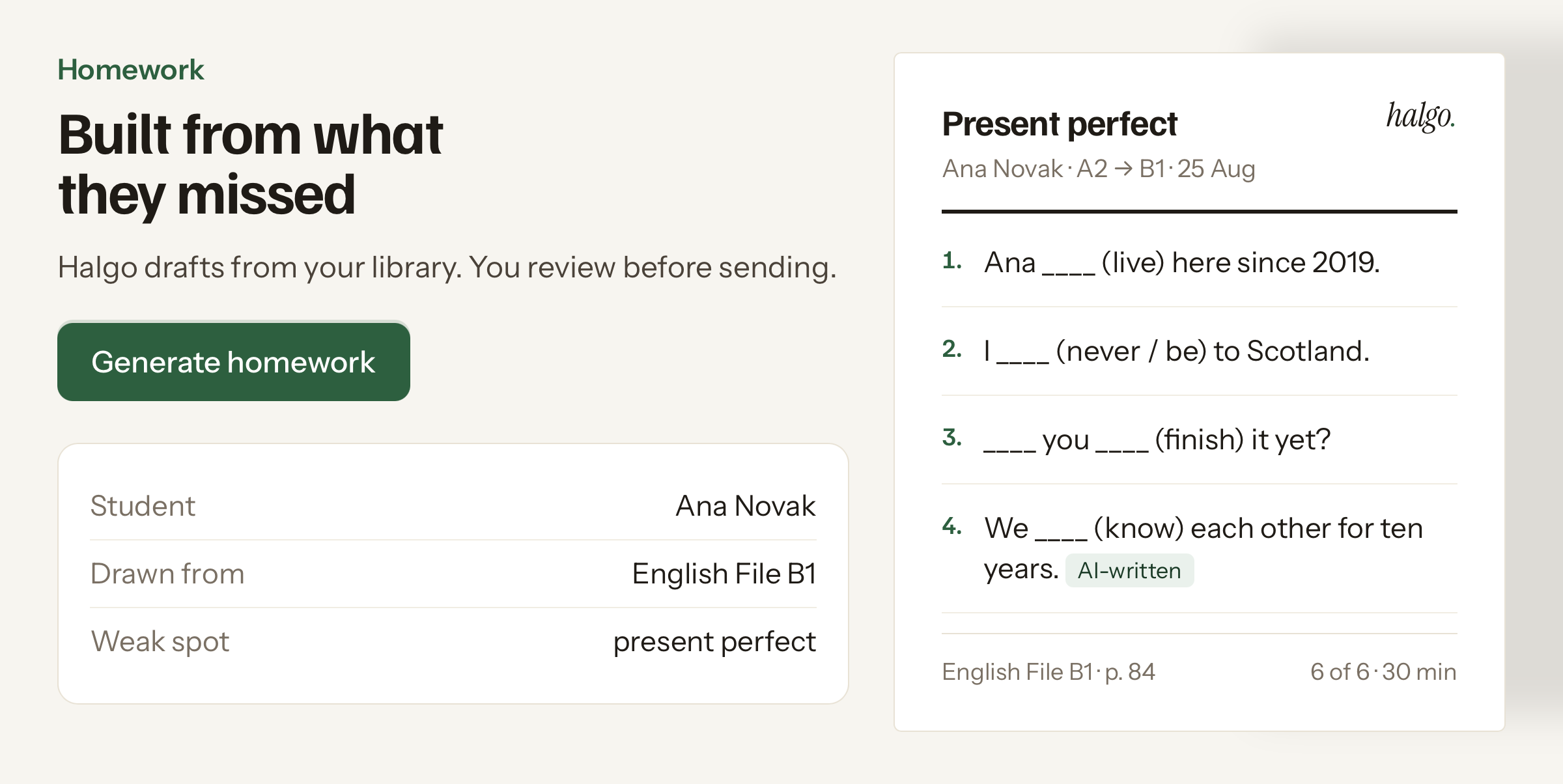
Drafted from your books. Yours to change.
Pick a student and what they keep missing. Halgo takes the exercises out of your own textbooks, page numbers and all. The panel below works.
how it runs
Set it up once. Then it repeats.
week one
Upload your books
Drop in the PDFs you teach from. Halgo reads pages, exercises and answer keys, then tags them.
same evening
Add your students
Name, level, the book you use. Thirty seconds each. Lessons you schedule in Halgo stay in step with Google Calendar.
every lesson
Teach on the board
Frames for the lesson, notes for what slipped. The board is the record, so nothing needs writing up after.
on the way out
Print the homework
One tap per student. The sheet follows their level and the focus or weak areas you recorded, ready for you to review next week.
Less than one cancelled lesson.
Free while we work with the first tutors. What each plan includes is below; what they will cost is not set yet, and we would rather leave that blank than name a number we might change.
Free
for a first look
Solo
a growing roster
Pro
a full week
Boards, schedule and billing are in every plan. Practice decks are in beta for everyone.
questions
Asked often enough to answer here.
+How does the homework actually get built?
From two things: the textbooks you indexed, and what you marked as shaky for that student. Halgo picks six to eight exercises that hit those gaps, varies the difficulty, and lays them out like a page from the book they already know.
+Which languages does it work with?
Halgo currently supports Slovenian, English, German, French, Spanish, Italian, Russian, Croatian, Serbian, Polish, Czech, Portuguese, Dutch and Ukrainian. Tell us which language is missing and it helps set the next addition.
+Can I edit a sheet before I hand it out?
Every exercise has a replace and an edit control, so you can swap anything you do not like before printing. Nothing goes to a student until you send it.
+What happens to my students’ data?
Contact details, dates of birth and payment amounts never leave Halgo. Names, exercise text and lesson notes do, because that is the material a sheet is built from. Nothing is sold, nothing trains a model, and no parent or student is written to unless you switch it on. Full detail sits in the privacy notice.
+How do I get in?
Leave an email and we write back when a place opens. There is no self-service sign-up during the closed beta and nothing to pay to be on the list.